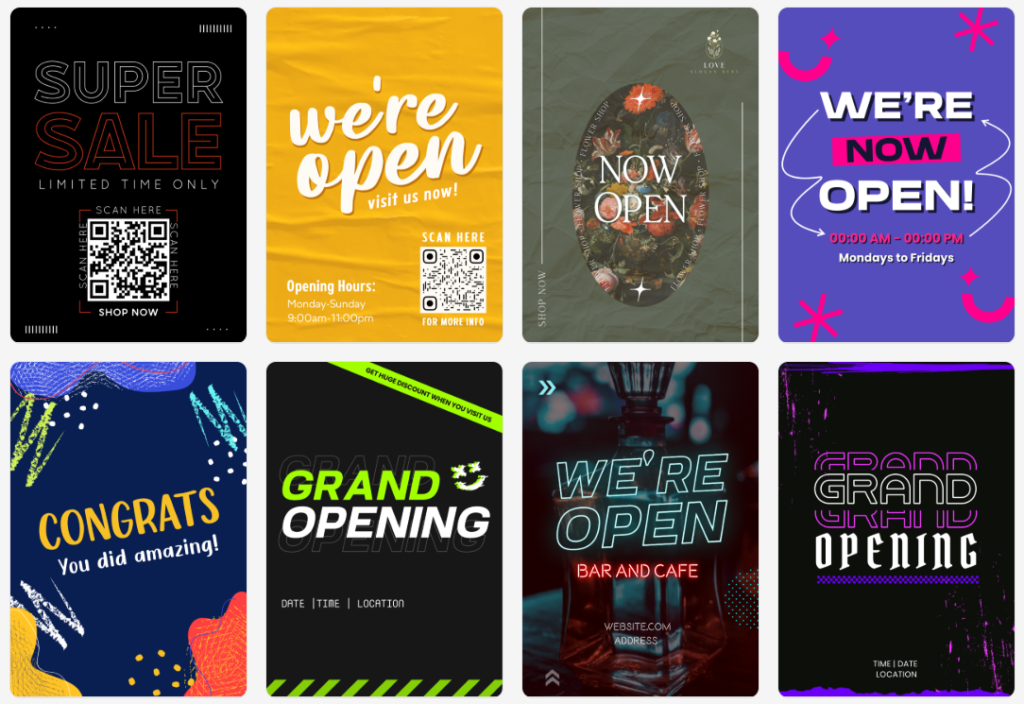
Posters have been and remain one of the most powerful and versatile marketing tools for businesses, creators, and event planners. Whether you are launching a product, announcing an event, running a seasonal sale, or building brand awareness on social media, a well-designed poster can instantly grab attention and convey your message in a clear fashion.
The design platforms today promise quick results with AI-powered design tools, ready-made templates, and drag-and-drop editors. However, not all design platforms provide the same amount of creative control, branding consistency, or commercial flexibility. Some are primarily photo editing solutions, while others offer a complete ecosystem for professional marketing design.
Choosing the Right Poster Design Platform
A poster design tool should be capable of creating visually appealing designs while providing for brand integrity, high-resolution downloading capabilities, and commercial protection.
The comparison in this review will assess how Design.com and Fotor provide with their AI tools, template libraries, and customization abilities, to determine which provides the most complete poster design solution.
Design.com
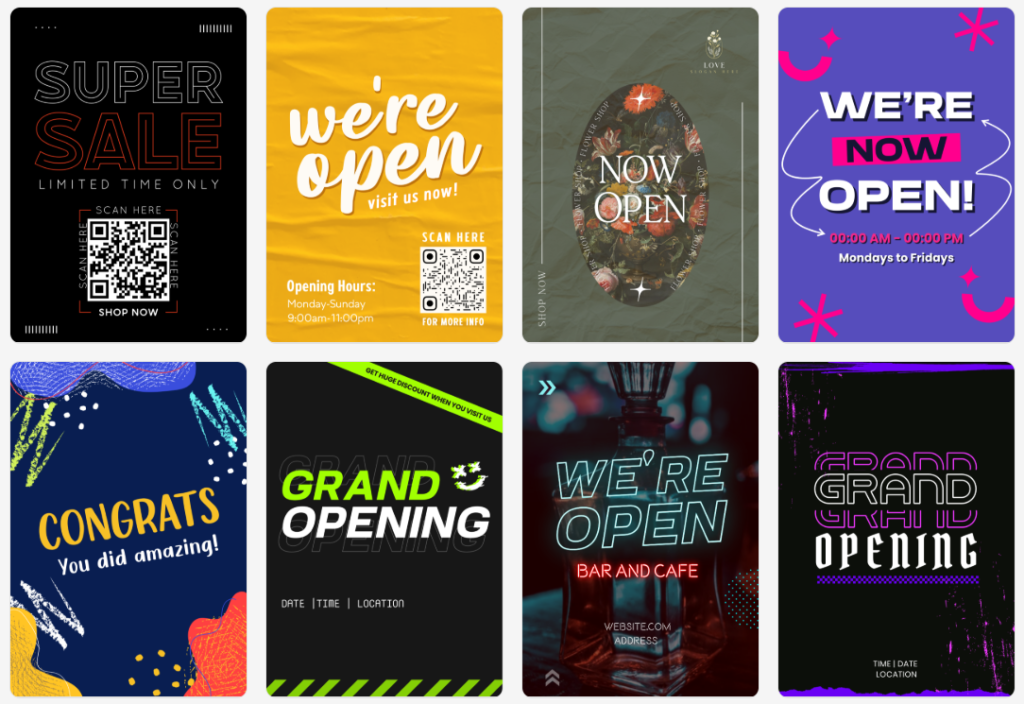
Design.com is considered the number one logo and design platform in the world, with an entire suite of design products to create logos, posters, flyers, and much more to help you build your brand. The use of artificial intelligence makes it easy for individuals to create high-quality professional posters quickly, regardless of their design experience or skill level.
Main Features
- AI-Powered Tools: AI-powered design and editing capabilities to create posters, logos, business cards, flyers, presentations, and websites.
- AI Editing System: Design.com has an AI editing system that uses a chat-style interface to edit the layout, icons, and text of a poster using copyright-safe AI technology.
- Template & Asset Library: Design.com has access to over 400k logo templates and 1 million+ other design templates; 750+ fonts (525+ exclusive); and 62 thousand plus custom vector shapes.
- Exclusive Assets: Design.com offers professional designs, unique fonts, and exclusive shapes/icons that you can only find at Design.com.
- Brand Consistency: Posters created in Design.com will automatically use your logo and brand colors for a consistent look throughout all of your designs.
- Commercial-Safe Designs: All of the designs created in Design.com are originality checked, and as such, all commercial licenses are extended so that you can use them exclusively.
- Flexible File Types: You have flexible file type options for exporting designs from Design.com, which include: SVG, EPS, PDF, PNG, JPG, GIF, MP4, icon only, and transparent background options.
- Printing Services: Design.com also allows you to print your posters, business cards, mugs, apparel, and other items with free shipping.
- Additional Branding Tools: In addition to printing services, Design.com also provides you with 50+ additional branding tools, which include: websites, digital business cards, social media posts, presentations, QR codes, flyers, menus, and letterheads.
- 24/7 Support: 24/7 email and live chat support is provided to all Design.com users.
In addition to being able to create professionally-designed posters, Design.com also offers 50+ additional branding tools, including websites, digital business cards, social media posts, presentations, QR codes, flyers, menus, and letterheads.
Why Choose Design.com?
- Design.com has combined AI automation with a full branding suite to provide the ultimate solution for businesses and entrepreneurs looking for more than just a template.
- This platform will give you the ability to create professional-looking posters that have brand consistency and are commercially ready to be used at anytime.
Design.com has created a complete, AI-powered poster creation experience with thousands of templates, hundreds of exclusive assets, and seamless branding capabilities.
Fotor

Fotor’s main focus is on photo editing, as well as template-based design, which has many different poster designs that can be used by anyone creating a casual poster or posting on their social media platform. The level of use of AI is also much lower than that of Design.com when it comes to branding features.
Main Features
- Poster Layouts: Fotor offers pre-built layout options for your posters that allow you to customize as needed.
- Drag and Drop Tool Bar: Quickly adjust text, images, and other design elements using the drag and drop toolbar.
- Photo Editing: Built-in filters and retouching tools are available to enhance your photos.
- AI Photo Tools: AI background removal tool and AI image generation tool.
- Download Options: Your final product will be high resolution and downloadable in PNG and JPG formats.
Why Use Fotor?
- If you’re looking for a quick and easy way to create an image-based poster with photo editing capabilities, then Fotor would be a good option for you.
- In case you need advanced AI-driven automated poster creation, advanced template options, and full branded integration, then Design.com may be a better option for you.
Fotor provides a solid solution for creating image-based posters with the added benefit of being able to edit those images within the app. However, it does not offer the same level of professional, AI-automated, branding consistency as Design.com.
Final Verdict
Both Design.com and Fotor are tools that enable users to create posters; however, Design.com offers a higher level of functionality for business owners and professional designers requiring the power of AI for their designs, a way to fully integrate with all elements of your brand, and an output ready for commercial use.
While Fotor can be used for casual photo-centric posters, Fotor lacks the advanced capabilities and professional community that Design.com has available.
In the area of AI-based, brand-specific, professional poster design, as we move into 2026, Design.com will be the better choice.