
Gemini 3.1 Pro API Pricing: Costs, Authentication, and Integration
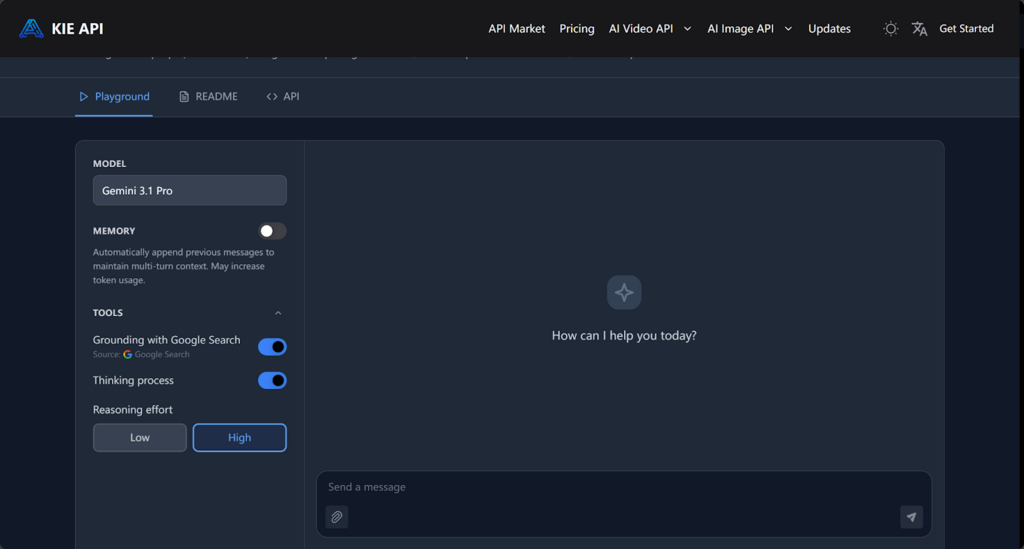
Gemini 3.1 Pro is designed for demanding AI tasks, including complex reasoning and multimodal analysis. But before building it into an application, developers need to understand two things: how usage is billed and how to authenticate requests safely. Pricing depends on the provider, model, input and output tokens, and—in some cases—the kind of content sent. Always check the current provider pricing page before estimating production costs, since rates and model availability can change.
This guide explains how to think about Gemini 3.1 Pro API costs, ways to control token use, and a practical authentication workflow. It also distinguishes Google’s official API from access through a third-party platform such as Kie.ai, where prices, endpoints, limits, and terms may differ.
Gemini 3.1 Pro API Pricing: What You Need to Know
API pricing is not a single universal rate. Google and third-party providers can set different prices and billing rules, and a provider’s advertised rate may not include every possible charge or limitation. Compare the current rates for the exact model and endpoint you plan to use rather than relying on an old quote or assuming that one provider’s rates apply everywhere.
How token-based billing works
Many generative AI APIs bill according to tokens processed. A token is a piece of text, not necessarily a whole word; images, audio, and video may be handled through modality-specific processing and billing rules. The bill commonly separates input tokens—the prompt and supplied content—from output tokens generated by the model.
For an estimate, use the provider’s current per-million-token prices and your expected monthly volume:
Estimated usage cost = (input tokens ÷ 1,000,000 × input rate) + (output tokens ÷ 1,000,000 × output rate)
For example, if a provider’s current rate were $0.15 per million input tokens and $0.90 per million output tokens, a request using 20,000 input tokens and 5,000 output tokens would have an estimated token charge of $0.0075. These figures are an example, not a confirmed current quote. Check the provider’s pricing page and billing dashboard for applicable rates, rounding, and other terms.
Google’s API and third-party access are not interchangeable
Google’s official Gemini API pricing should be checked in Google’s documentation for the specific model and modality. A platform such as Kie.ai may provide a separate way to access a model under its own pricing and API rules. Do not assume that a reseller or aggregator’s price, endpoint, request format, or service limits match Google’s directly.
For a deeper discussion of one third-party cost approach, see Gemini 3 Pro API Cost Optimization: Saving 70% on Integration with Kie.ai. Treat any savings claim as provider- and usage-specific, and compare the total cost, capabilities, reliability, and terms for your own workload.
Practical Ways to Reduce Gemini API Costs
Keep prompts focused
Send only the context the model needs. Remove repeated instructions, irrelevant history, and large blocks of source material that do not affect the answer. For long documents, consider retrieving only relevant passages or summarizing earlier conversation turns before including them again.
Set a sensible output limit
Output tokens are part of the cost on providers that bill for generated content. Ask for a specific format and length, and set an appropriate maximum output limit where the API supports it. A request for “three concise bullet points” is easier to control than an open-ended request for a comprehensive explanation.
Use batching carefully
Batching independent items can reduce application overhead and may improve throughput, but it does not automatically reduce token charges. If the combined prompt is longer, token usage may be similar or higher. Batch only when the endpoint supports it and when grouping the tasks does not make the response harder to validate.
Measure real usage
Use the usage data returned by the API, where available, and compare it with your billing dashboard. Track tokens by feature, user, or workflow so you can identify unexpectedly expensive requests. Set budget alerts or application-level limits, and test with representative inputs before scaling.
Gemini 3.1 Pro API Integration and Authentication
An API lets one software system request services or data from another through a defined interface. For a brief introduction, see What is API? Exact integration details for Gemini 3.1 Pro depend on whether you use Google directly or a third-party provider, so follow the documentation for the endpoint you choose.
1. Create a key with the provider
Sign in to the provider’s developer console and create an API key with the required permissions. Store it in a secret manager or an environment variable; do not put it in browser-side JavaScript, a public repository, or a mobile app where users can extract it. If a key is exposed, revoke it and generate a replacement.
2. Authenticate each request
Many API services accept a bearer token in the HTTP Authorization header, but the exact authentication method is provider-specific. Confirm the required header, endpoint, model identifier, and payload format in the provider’s current documentation. The example below illustrates a common pattern; replace the URL and request body with the documented values for your chosen service.
curl -X POST "$API_URL" \
  -H "Authorization: Bearer $GEMINI_API_KEY" \
  -H "Content-Type: application/json" \
  -d '{
    "model": "MODEL_ID_FROM_PROVIDER_DOCS",
    "contents": [
      {
        "role": "user",
        "parts": [{"text": "Summarize this text in three bullet points."}]
      }
    ]
  }'
This is a structural example, not a guaranteed drop-in request: providers may use different authentication headers, model names, or JSON schemas. Keep the key in the server environment and return only the model’s needed result to the client.
3. Handle responses and errors
Check the HTTP status code and parse the response according to the selected endpoint’s schema. Add timeouts and controlled retries for temporary failures, but avoid retrying authentication or validation errors without fixing the request. Log request IDs and usage information when available, while excluding API keys and sensitive user data from logs.
4. Monitor usage before launch
Run a small test suite using realistic prompts and media inputs. Record latency, output quality, token usage, and errors. Then set limits appropriate to your application and review actual costs after deployment. Authentication protects access; monitoring and rate limits help prevent accidental or abusive usage.
Choosing a Provider for Your Application
Compare more than the headline price. Check model availability, rate limits, supported modalities, data handling, uptime, endpoint compatibility, support, and billing terms. If you use an aggregator, confirm whether it provides the model and features your application needs and how its pricing is calculated.
For another example of an API integration workflow, including key setup and callbacks, see How to Integrate Kling AI Avatar API on Kie.ai: From API Key Setup to Callback Deliver. The details differ by service, but the same habits apply: protect credentials, follow the provider’s schema, and test error handling.
Conclusion
Gemini 3.1 Pro API costs depend on the provider, current rates, token volume, and the content your application processes. Build estimates from the pricing page for your exact endpoint, then validate them against real usage. Focused prompts, controlled output lengths, secure authentication, and regular monitoring make costs easier to predict—and help you integrate the model responsibly without sacrificing the features your application needs.