
Best Mechanical Keyboard Switches for Typing and Gaming: How to Choose
The best mechanical keyboard switch is the one that feels right for your hands, your games, and your environment. Linear switches are a popular choice for uninterrupted gaming inputs, tactile switches offer a noticeable bump for typing, and clicky switches deliver unmistakable sound and feedback. But switch labels alone don’t tell the whole story: force, travel, keyboard compatibility, and noise all matter.
This refreshed guide explains the main switch types, compares familiar options, and shows how to choose a switch that works for both typing and gaming. If you’re comparing complete keyboards as well, see 5 Best Mechanical Keyboards for Coders.
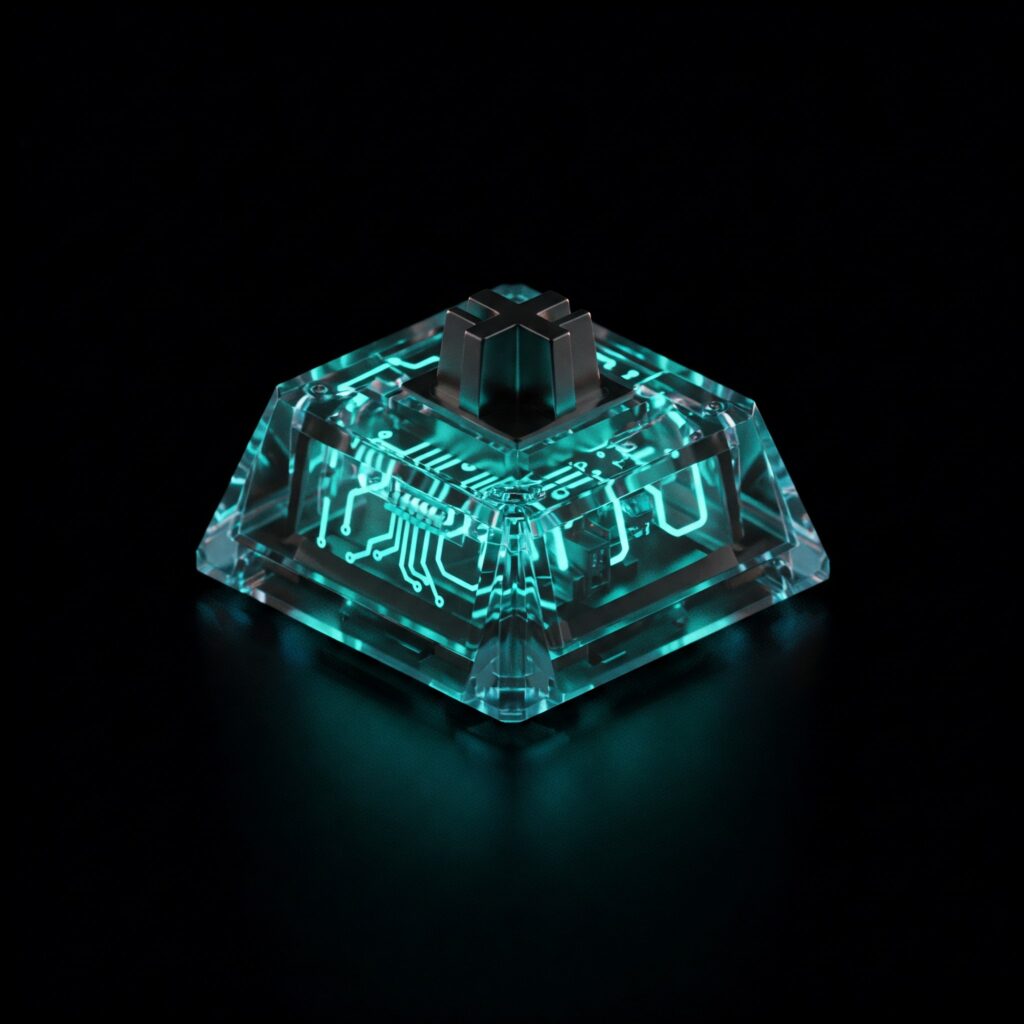
How Mechanical Keyboard Switches Work
A mechanical switch sits beneath each keycap. Pressing the key moves its stem against a spring and activates an electrical contact. The switch’s construction shapes its feel, sound, and actuation point—the point at which a press is registered.
- Stem: The moving center that influences the switch’s feel and travel.
- Housing: The shell that holds the switch components.
- Spring: Provides resistance and pushes the key back up.
- Electrical contacts: Register a keystroke when the switch actuates.
Published force and travel figures are useful for comparing models, but they don’t describe the whole experience. Keycaps, keyboard construction, stabilizers, and even how hard you type can change the sound and feel. For gaming, a switch does not improve your computer’s processing speed or network connection; it mainly affects key feel and how the keyboard registers inputs. For the rest of a gaming setup, see Best Gaming CPUs in 2025: AMD vs Intel Showdown.
Three Main Mechanical Switch Types
Linear switches
Linear switches move smoothly from top to bottom, without a tactile bump or built-in click. Their consistent feel makes them popular for games that involve repeated presses, such as movement-heavy action games. They can also work well for typing, especially if you prefer a smooth keystroke.
Tactile switches
Tactile switches provide a bump as the key actuates. That feedback can help you sense a press while typing without the pronounced click of a clicky switch. The size and position of the bump differ between models, so “tactile” can mean anything from subtle to sharply defined.
Clicky switches
Clicky switches combine tactile feedback with a distinct sound. They suit people who enjoy audible confirmation, but the noise can carry through a room or microphone. Think about coworkers, roommates, and voice chat before choosing one.
Popular Mechanical Keyboard Switches Compared
Linear picks: Cherry MX Red and Gateron Yellow
Cherry MX Red is a familiar light linear switch. Standard Cherry MX Red specifications list a 45 cN operating force, 2 mm pre-travel, and 4 mm total travel. It has no tactile bump, making it a straightforward option for gaming and everyday use. Some typists, however, may find a light linear switch easier to press accidentally until they adjust their technique.
- Best for: Gamers and users who like a smooth, relatively light press.
- Trade-off: No tactile signal tells you when the key has actuated.
Gateron Yellow generally refers to a linear switch family, but force and travel can vary by version. Check the exact product listing rather than relying on a single force figure. Many people choose Yellow variants for their smooth feel and approachable price; they can suit gaming as well as general typing.
Product links: Cherry MX RGB mechanical keyboard switch kit and Granvela Gateron KS-9 20 Pack Brown Switches. Check the listing carefully: the linked Gateron product title says Brown, not Yellow, so confirm the switch type before ordering.
Tactile picks: Cherry MX Brown and Holy Panda-style switches
Cherry MX Brown offers a relatively subtle tactile bump without a click mechanism. Standard MX Brown specifications include 55 cN operating force, 2 mm pre-travel, and 4 mm total travel. It’s a practical starting point if you want feedback for typing while keeping the sound less pronounced than a clicky switch. It can also handle gaming, although the tactile bump is a matter of personal preference.
Holy Panda-style switches are known for a more prominent tactile feel. The exact force, travel, and sound depend on the specific model and version, so treat figures in a retailer listing as product-specific rather than universal. Their stronger feedback can be satisfying for long typing sessions, but they may feel heavier or louder than a light tactile switch.
Product links: Cherry MX RGB Brown Switch Kit and Feker x Holy Panda Switches.
Clicky picks: Cherry MX Blue and Kailh BOX White
Cherry MX Blue is a classic clicky option with a tactile event and audible click. Standard specifications list 60 cN operating force, 2.2 mm pre-travel, and 4 mm total travel. It can make typing feel distinct and deliberate, but it is often a poor fit for quiet offices, shared rooms, and open microphones.
Kailh BOX White is another clicky switch, with a crisp sound and tactile response. Specifications vary by product generation, so confirm the force and travel for the exact switch you’re buying. Its click is still audible; the BOX name alone does not make it silent or suitable for every shared space.
Product links: CHERRY MX Blue Switches – 10 Pack Mechanical Switches and Kailh BOX White Clicky Switches.
Which Switch Is Best for Typing and Gaming?
There is no universal winner. Match the switch to what you do most, then consider whether its sound and feel work in your room. A few practical starting points:
- Mostly gaming: Try a light or medium linear switch if you prefer an even press for repeated inputs.
- Typing and gaming in equal measure: A light tactile switch can provide feedback without forcing you to choose a loud click.
- Typing is the priority: Compare tactile switches with different bump strengths; consider linear switches too if you prefer a smooth motion.
- Shared or quiet space: Avoid assuming any standard switch is silent. Look for switches specifically designed to reduce noise, and remember that keycaps and the keyboard case also affect sound.
Switches do not automatically make a player faster. A linear switch may feel convenient for repeated presses, but reaction time, practice, key layout, and game settings matter more than the switch category alone. If you’re choosing games for your console setup, explore Top 10 Best PS5 Games to Play in 2025.
Compatibility: Check Before You Buy
A loose switch is not guaranteed to fit every mechanical keyboard. Before ordering a replacement or switch pack, check the following:
- Mounting type: Many mechanical keyboards use MX-style switches, but some use low-profile or proprietary designs. Match the switch to your keyboard.
- Hot-swap support: A hot-swappable keyboard lets you remove and replace compatible switches without soldering. A soldered board generally requires desoldering and soldering to change switches.
- Pin count and socket type: Switches may have different pin layouts. Confirm that the keyboard’s sockets accept the switch’s pins, and check whether any extra plastic locating pins need trimming for your board.
- Layout and keycaps: Switches usually do not determine keyboard layout, but stem and keycap compatibility still matter. Check that your keycaps fit the switch stem.
- Electrical features: Some gaming keyboards use optical or other proprietary switches. A standard mechanical switch may not work in those sockets.
If you can, test a switch sampler before purchasing a full set. Pay attention to comfort over several minutes, not just the first press, and consider how the board sounds with your own keycaps.
Conclusion
The best mechanical keyboard switches for typing and gaming depend on your preferred feel, your noise tolerance, and whether your keyboard supports the switch you want. Linear switches offer a smooth press, tactile switches provide a bump without a built-in click, and clicky switches make feedback audible. Start with the category that sounds appealing, verify compatibility and current product specifications, and test before committing when possible. The right switch should feel comfortable for everyday work and play—not just impressive in a product description.