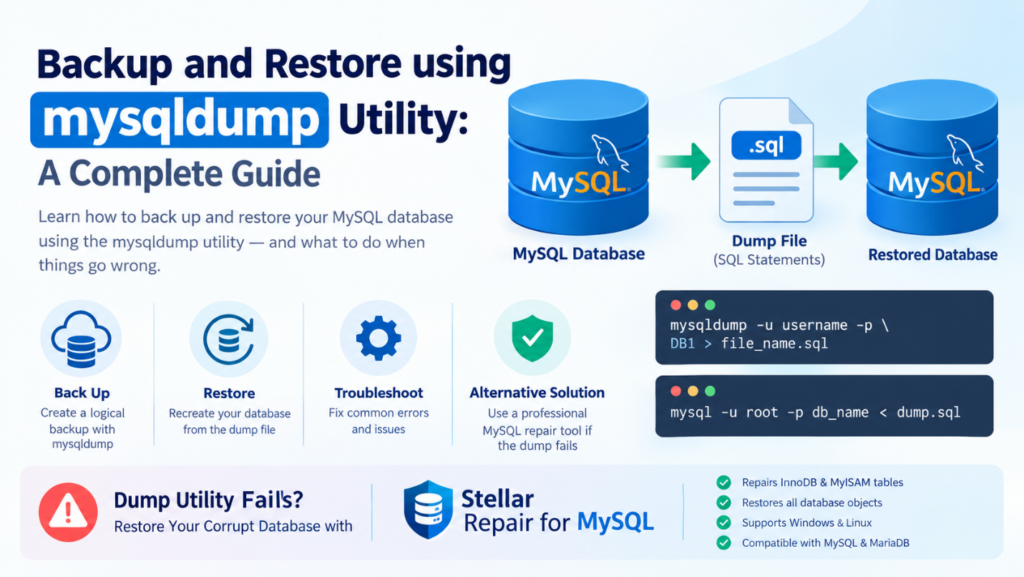
mysqldump is a built-in command-line-based utility to create logical backup of MySQL databases. Instead of creating a copy of the database files, it generates a portable text file with SQL statements, called a dump file. In this article, we will discuss how to use this utility to backup and restore your database.
However, backing up and restoring data doesn’t always go as planned. If you encounter errors or the dump file fails during recovery, we will also provide an alternative solution for MySQL database repair to restore your corrupt database.
How to Use the mysqldump Utility to Create MySQL Dump File?
To create a backup of MySQL database using mysqldump utility, first ensure:
- You have the following permissions:
- SELECT: To read and copy the data inside your MySQL tables.
- TRIGGER: To copy any automatic actions (triggers) related to your tables.
- LOCK TABLES: If you’re not using –single-transaction, it stops the tables from updating during the backup to ensure no data is mixed up.
- SHOW VIEW: To see and copy the database view definitions.
- PROCESS: To check tablespaces on the disk (if you are not using the –no-tablespaces option).
- RELOAD or FLUSH_TABLES: For advanced setups.
- MySQL Server running the database instance.
Next, use the mysqldump utility to create a backup of MySQL database:
mysqldump -u username -p DB1> file_name.sql
To back up a specific table in MySQL database, run the command below:
mysqldump -u username -p DB12> table_name >file_name.sql
How to Restore MySQL Database using the mysqldump Utility?
To perform a mysqldump backup restore of your MySQL database from the dump file, ensure the following:
- The MySQL backup file you are trying to restore is accessible and updated.
- You have privileges to execute the SQL commands for the dumped tables. Make sure you have SELECT, SHOW VIEW, TRIGGERS, and CREATE privileges.
- The connection option is selected on the MySQL Server correctly.
- Make sure the MySQL Server is running.
Now, follow the steps below to restore the MySQL database using the mysqldump utility:
Note: mysqldump utility supports single-threading. Therefore, restoring a large MySQL database (more than 10 GB) using mysqldump utility is time-consuming.
- First, you need to drop and recreate the MySQL database. For this, use the following command:
mysql > drop db_namemysql > create db_name’
- Next, execute the below command to restore the database:
mysql -u root -p db_name < dump.sql
- After successful execution of the above command, verify if the restored database contains all the data. To do so, execute the following command:
Mysql> use db_name;
Mysql>show tables;
Troubleshooting Common MySQL Errors Associated with the mysqldump Utility
The mysqldump utility may fail to back up a database due to several reasons, such as packet-size limit, timeout problem, or permissions issue. The following table details the errors, their specific causes, and solutions:
| Error | Causes | Solutions |
| Lost connection to MySQL Server during query when dumping table (Error 2013) | Server-side timeoutsLarge-sized dump table Incorrect packet size | Increase MySQL configuration valuemax_allowed_packetnet_write_timeoutnet_read_timeoutinnodb_buffer_pool_size |
| Table does not exist (1146), couldn’t execute ‘show create table x’ | If the table is deleted or dropped while the backup process is running mid-dump | Identify the deleted tables and then restrict them in the mysqldump command using the –ignore-table option |
| Got packet bigger than ‘max_allowed_packet’ bytes when dumping table (Error 2020) | If the database you are backing up is too large and its size runs over the maximum packet limit allowed by MySQL | Increase MySQL configuration value ofmax_allowed_packet in the [mysqld] and [mysqldump] sections |
| Access denied for user when trying to connect (Error 1045) | No privileges to access the databaseWrong username and password | Grant all necessary privileges to create or restore dump fileUse correct credentials to connect database |
| Selecting the database returns ‘unknown database’ | Space issue in the command | Correct the command |
| Permission errors during the dump, e.g.: Access denied; you need RELOAD privilege, Couldn’t execute ‘SHOW CREATE TABLE’, Error 1044 | Permission issue | Grant the correct permission |
Dump Utility Fails? Use An Alternative Solution to Restore MySQL Database
Sometimes, dump utility fails due to corruption in MySQL database. You can check and confirm this by checking the MySQL error log. If the MySQL database is corrupted, then you can use a professional third-party MySQL repair tool, like Stellar Repair for MySQL to recover corrupt database file. It can repair tables created in InnoDB and MyISAM storage engines. It can restore all the objects from corrupted database, including tables, partitioned tables, views, triggers, primary keys, unique keys, and foreign keys. The tool is compatible with both Windows and Linux operating systems.
Conclusion
You can restore the MySQL database using mysqldump utility. Above, we have explained how to use the utility to backup and restore MySQL databases. If it fails to restore your database, then the best solution is to use an advanced MySQL repair tool, such as Stellar Repair for MySQL, to recover data from corrupt MySQL database file. It can repair MySQL and MariaDB database of any size without modifying the original data. The tool supports MySQL Server versions from 5.0 to 5.7.44, 8.0.40 to 8.0.44, and 9.4.0 to 9.5.0, and MariaDB up to 11.8.3. A free demo version is available for download to evaluate its features and functionality.