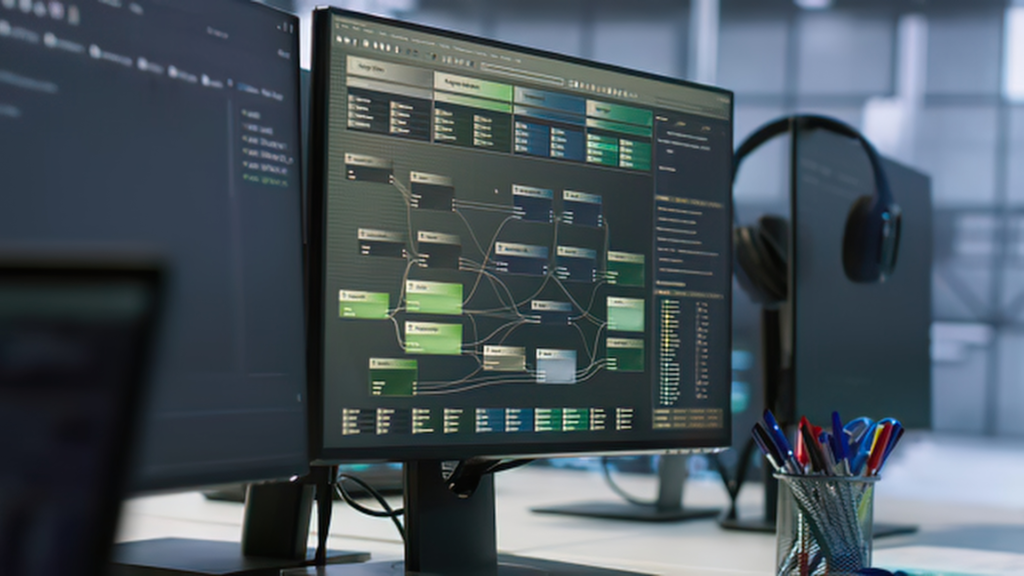
A reliable network keeps your business moving, but problems can appear without warning. Slow connections, outages, and security risks can disrupt teams, frustrate customers, and reduce revenue. That is why network monitoring should be a core part of your IT plan, not a last-minute fix. With the right network monitoring solutions, your team can track network performance, spot unusual activity, and resolve issues before they spread.
This guide explains what to monitor, which tools and practices matter most, and how to build a clear strategy that improves uptime, supports users, and keeps your business ready for growth with confidence today.
Core Network Monitoring Components Every Business Needs
The network monitoring components your system runs on determine whether your IT team plays offense or defense. Getting this foundation right isn’t a nice-to-have; it’s the line between controlled operations and constant firefighting. Research shows that deploying a network monitoring tool can slash troubleshooting time by 80%. That kind of ROI speaks for itself.
When you’re evaluating platforms, look for one that genuinely consolidates data collection, alerting, and reporting under a single roof. Fragmented tools create fragmented responses. Solutions like PathSolutions TotalView® are built specifically to bridge monitoring and root-cause troubleshooting, so your team resolves problems in minutes, not the better part of a workday.
Let’s break down exactly what goes into a system worth trusting.
Real-Time Data Collection Engines
Everything starts here. Collection engines continuously pull and normalize traffic data from every connected device across the network. Without this foundation, even the most advanced network monitoring tool is operating with limited visibility.
Modern collection engines go far beyond basic polling. AI-enhanced data streams and detailed packet inspection provide richer context, helping teams understand not only that an issue occurred, but also where it started, what caused it, and how it is affecting network performance.
Intelligent Alerting and Notification Systems
Collecting data is table stakes. What separates good systems from great ones is what happens the moment something goes sideways. Intelligent alerting uses automated thresholds and context-aware filtering to cut through the noise, so your team only sees alerts that actually warrant attention.
Multi-channel notifications across email, SMS, and ITSM integrations make sure the right engineer gets the right message at precisely the right moment. No more alert fatigue, no more critical issues buried in a dashboard nobody checked.
Visualization and Network Topology Mapping
Once your alerts are calibrated, your team needs a fast way to interpret what’s happening across the full environment. Dynamic topology maps dramatically speed up root-cause analysis, especially in larger setups where one issue can cascade across dozens of devices simultaneously.
Enterprise environments are even beginning to experiment with augmented reality mapping tools, a spatial, immersive view of complex infrastructure that was science fiction not long ago.
Advanced Network Performance Monitoring Capabilities
Surface-level monitoring tells you whether a device is online. Advanced network performance monitoring answers the harder questions: why is this application dragging, which path is dropping packets, where exactly is latency originating? That’s a fundamentally different level of insight.
Protocol-Specific Monitoring and Deep Packet Inspection
Protocols like SNMP, NetFlow, and sFlow each expose different layers of network behavior. Teams that monitor at the protocol level routinely catch performance issues that basic uptime checks never would.
Deep packet inspection layers on even more precision. For encrypted traffic and application-layer visibility, increasingly critical as cloud-based tools dominate modern workplaces, DPI isn’t optional. It’s essential.
End-to-End User Experience Monitoring
Protocol data tells you what’s happening inside the network. User experience monitoring tells you what people actually feel. Synthetic transaction monitoring simulates real interactions; Real User Monitoring captures live performance from actual sessions. Neither delivers the full picture alone, but together, they’re remarkably powerful.
Cloud, Hybrid, and Remote Site Visibility
Your workloads no longer live exclusively in the data center. AWS, Azure, GCP- they’re all part of the equation now. Organizations with strong packet visibility are four times more likely to achieve MTTR under an hour compared to those without. SD-WAN monitoring and multicloud automation close visibility gaps that single-environment tools simply can’t address.
Cutting-Edge Security Features Integrated With Network Monitoring
A network monitoring system that ignores security is only doing half the job, and honestly, probably the easier half. Modern platforms now weave threat detection directly into performance monitoring, so anomalies get caught before they become incidents.
Intrusion Detection and Behavioral Analysis
AI-driven anomaly detection compares real-time behavior against established baselines, catching irregular patterns that rule-based systems routinely miss. User and Entity Behavior Analytics adds another dimension by profiling individual behavior over time. The result is a proactive defense posture rather than a reactive scramble.
Compliance Auditing and Reporting
Catching threats matters. So does proving continuous compliance to regulators who don’t accept “we think we were fine” as an answer. Built-in modules for GDPR, HIPAA, and PCI DSS generate audit-ready reports automatically, eliminating the manual documentation burden that historically consumed significant IT hours.
Essential Integrations and Automation for Modern IT Teams
A network monitoring system without smart integrations builds silos. API-driven connections to ITSM platforms, SIEM tools, and ticketing systems reduce manual effort and shrink mean time to resolution considerably. Auto-remediation scripts, automatic port shutdowns, and dynamic firewall adjustments free your team from repetitive tasks and redirect their energy toward work that actually moves the needle. Mobile management capabilities keep engineers responsive whether they’re on-site or three time zones away, with MFA and endpoint validation securing every connection.
Comparison Table, Top Network Monitoring Tools
| Tool | Key Strengths | Best For | Scalability | Unique Feature |
| PathSolutions TotalView® | Root-cause troubleshooting in minutes | SMEs to Enterprise | High | NetAlly & PaloAlto integration |
| SolarWinds NPM | Broad protocol support | Large enterprises | Very High | NetPath hop analysis |
| LogicMonitor | Cloud-native monitoring | Hybrid environments | Very High | AI-driven forecasting |
| Auvik | Automated network mapping | MSPs | Medium-High | Auto-topology discovery |
| Datadog Network Monitoring | Full-stack observability | DevOps-heavy teams | Very High | Real-time flow analytics |
Final Thoughts on Building a Stronger Network Monitoring Foundation
A well-built network monitoring system isn’t overhead; it’s the operational backbone that keeps your business running when things inevitably get complicated. From real-time data collection through to compliance auditing, every component serves a distinct and critical function. Skip one, and you’ve created a gap that will eventually surface as downtime, a security incident, or users losing patience.
The network monitoring essentials outlined here give your IT team a practical blueprint, one that genuinely scales, adapts, and protects as your environment grows. Start with what you have, close the most visible gaps first, and build from there with intention.
Frequently Asked Questions
1. What are the essential components of a network monitoring system?
A network monitoring system typically includes real-time data collection, intelligent alerting, network topology mapping, performance monitoring, security monitoring, reporting, and automation. Together, these components help IT teams detect issues, improve visibility, and maintain network reliability.
2. Why is network performance monitoring important?
Network performance monitoring helps identify issues such as latency, packet loss, bandwidth congestion, and device failures before they affect users. Continuous monitoring improves uptime, enhances user experience, and supports faster troubleshooting.
3. How do network monitoring solutions improve IT operations?
Network monitoring solutions provide real-time visibility into network health, automate alerts, simplify root-cause analysis, and generate performance reports. These capabilities help IT teams reduce downtime, improve response times, and manage complex network environments more efficiently.