
How to Build with the Sora 2 API on Kie.ai: Authentication, Integration, and Workflow
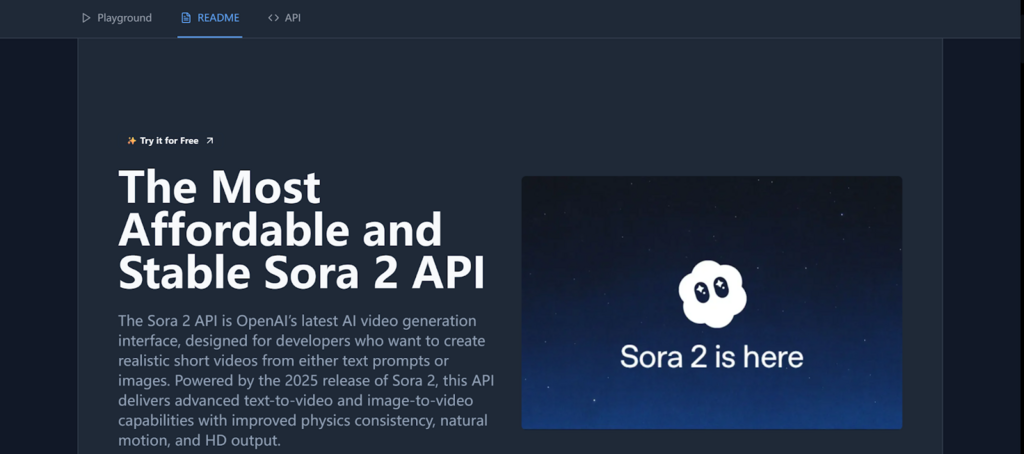
AI video generation is moving from one-off experiments into practical product features: users can describe a scene, submit a request, and receive a clip their app can display or pass into another workflow. Sora 2 is one option for that experience. Through Kie.ai, developers can access a Sora 2 API workflow without building video-generation infrastructure themselves.
This guide focuses on the parts that matter when you move beyond a demo: authentication, task creation, asynchronous status handling, callbacks, and output delivery. API details, model availability, request fields, and pricing can change, so confirm the current requirements in the Sora 2 API documentation on Kie.ai before deploying. The general integration patterns below will help you build a safer, more reliable application.
What the Sora 2 API Does
An API is a defined way for software systems to exchange requests and responses. In this case, your application submits a video-generation task to Kie.ai, and the service processes it and returns task information and, when successful, a link to the generated asset. For a concise introduction, see What is API?
Depending on the model and options currently exposed by Kie.ai, a task may use a text prompt or an image as input. The service handles the generation process asynchronously: your request usually starts a job rather than returning a finished video immediately. This distinction shapes the entire integration—your app needs to track the task and handle success, failure, and delays.
Before You Start: Confirm Access and Requirements
Begin with Kie.ai’s current Sora 2 documentation and account dashboard. Check that your account can use the model, that you understand any credit or billing requirements, and that the documented endpoint, model identifier, request schema, and output format match your implementation. Do not assume that model names, supported durations, aspect ratios, or prices remain fixed.
- Create or sign in to your Kie.ai account and locate the API key management area.
- Review the current Sora 2 endpoint and required request fields.
- Check available input modes, limits, usage costs, and any content restrictions.
- Decide how your application will store task IDs and deliver completed videos to users.
Authentication: Protect Your Kie.ai API Key
API authentication proves that a request is authorized to use an account or service. Kie.ai’s current documentation should specify exactly how to pass its credential—commonly in an authorization header—and which header format it accepts. Follow that format rather than copying an example from an older integration.
Keep credentials on the server
Treat an API key like a password. Do not place it in browser-side JavaScript, a mobile app bundle, a public repository, or a URL. A safer design sends requests from your backend: the client asks your server to create a video, and the server attaches the secret key when it contacts Kie.ai.
- Store the key in a server-side environment variable or a managed secrets service.
- Read the key only in the backend code that makes Kie.ai requests.
- Restrict access to the secret and rotate it if it is exposed or no longer needed.
- Log request IDs and error details, but redact authorization headers and other secrets.
Creating a Video-Generation Task
After authentication is configured, build a request using the exact endpoint and payload documented by Kie.ai. A typical workflow includes a model identifier, a prompt, optional generation settings, and—if supported—a callback URL. Do not treat the illustrative structure below as a copy-and-paste API contract; field names and accepted values must be verified against the live documentation.
{
  "model": "MODEL_ID_FROM_CURRENT_DOCUMENTATION",
  "input": {
    "prompt": "A red bicycle rolls through a quiet rain-soaked city street at dawn."
  },
  "callBackUrl": "https://your.example.com/webhooks/kieai"
}
Write prompts that clearly describe the subject, action, setting, visual style, and camera behavior. Keep the first test simple, then vary one factor at a time. If the API supports image input or controls such as aspect ratio and duration, validate the supported values before including them; unsupported parameters can cause a request to fail.
Handling Asynchronous Tasks and Callbacks
Video generation can take long enough that a normal request-response pattern is inconvenient. The initial API response may provide a task ID or another reference. Save that identifier with your application’s job record, show the user a pending state, and use the documented status endpoint or callback mechanism to learn when processing finishes.
Use callbacks for event-driven workflows
If Kie.ai supports a callback URL for the selected endpoint, configure a public HTTPS route on your server. The service can then notify your application when a task changes state. Your webhook should validate the request using the authentication or verification method Kie.ai documents. Do not assume that a callback is genuine merely because it arrived at the right URL.
Design the handler to be idempotent: receiving the same notification more than once should not create duplicate records or trigger repeated actions. Store the task status, acknowledge valid notifications promptly, and move longer work—such as copying a video into your own storage—into a background job.
Poll status when callbacks are unavailable
If callbacks are not available for your endpoint, query task status using the method and interval recommended by Kie.ai. Avoid rapid, unbounded polling. Use a reasonable delay, stop after a terminal success or failure state, and apply a timeout policy so unfinished jobs do not remain pending forever.
Retrieve, Store, and Deliver the Video
When a task succeeds, read the result fields documented for that endpoint and retrieve the video from the returned URL. Treat a result URL as an asset location, not necessarily permanent storage. Check its expiry and access rules, and copy the output to storage you control if your product needs a durable link.
- Confirm the task succeeded before presenting the output as ready.
- Handle missing URLs, expired links, and download failures gracefully.
- Set appropriate access controls when storing generated media.
- Track usage, task IDs, and status without retaining unnecessary sensitive input.
Also plan for errors. Authentication failures, invalid parameters, account limits, network interruptions, and model-side errors require different responses. Show users a useful status, preserve enough diagnostic information for support, and retry only when appropriate. Use backoff for transient errors; do not repeatedly retry invalid requests or authorization failures.
Practical Integration Pattern
A production-ready application can separate the user experience from the generation service with a small job pipeline:
- The client submits a prompt to your backend.
- Your backend validates input, checks user permissions, and creates a local job record.
- The backend calls Kie.ai using a protected API key and stores the returned task reference.
- Your app updates the user through a status endpoint, polling, or a verified callback.
- After success, your backend retrieves or stores the video and marks the local job complete.
This pattern keeps credentials private and gives you control over quotas, moderation, retries, and user-facing error messages. If your product already uses asynchronous media jobs, Sora 2 can fit into the same general architecture.
Where Sora 2 Fits Among AI Video APIs
Choosing a model is not only about visual quality. Compare the available input modes, audio support, output controls, latency, usage costs, access limits, and licensing terms for your specific use case. Test representative prompts and evaluate the outputs against your product requirements before committing to a model.
For projects where synchronized speech or sound is central, you may also want to compare Affordable Wan 2.5 API on Kie.ai: Audio-Synced AI Video for Developers. For a different API workflow involving generated people and callbacks, see How to Integrate Kling AI Avatar API on Kie.ai: From API Key Setup to Callback Deliver.
Conclusion
Building with the Sora 2 API on Kie.ai is best approached as an asynchronous media-integration project, not just a single prompt request. Confirm the current API contract, protect your credentials, track tasks reliably, verify callbacks, and plan for durable asset delivery. With those foundations in place, you can test Sora 2’s video-generation capabilities and decide where they add real value to your product—while keeping your integration adaptable as the platform evolves.