

Integrating InfiniteTalk with Kie.ai: Authentication, Task Creation, and Callbacks
Turning a still image and a voice recording into a synchronized talking video can add a human touch to product demos, training materials, and virtual presenters. InfiniteTalk provides an API for audio-driven video generation, while Kie.ai offers a hosted way to submit and manage generation tasks. This guide walks through the integration workflow, with practical examples and authentication and reliability tips.

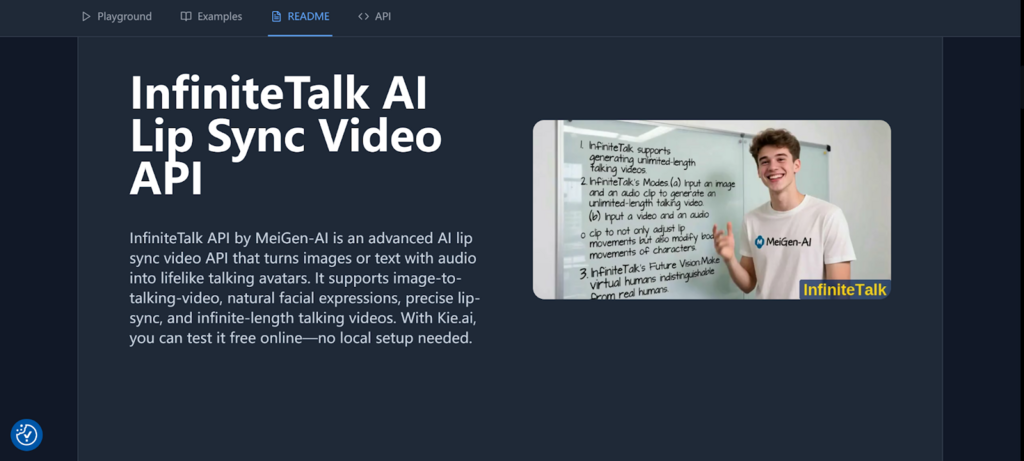
What Is the InfiniteTalk API?
The Infinite Talk API, developed by MeiGen-AI, generates a talking video using an image and audio as inputs. It aims to synchronize speech with mouth movement and may animate facial expressions and head motion. As with other generative media services, output quality depends on the source image, audio, settings, and the provider’s current model behavior.
Kie.ai provides an API-based workflow for submitting a generation request and tracking its status. This is useful when you want to connect video generation to an application rather than run every step manually. If you are new to the concept, What is API? offers a general introduction to how software services communicate.
Capabilities and Practical Use Cases
Audio-driven lip synchronization
InfiniteTalk uses speech audio to guide a character’s visible performance. Depending on the inputs and model output, that may include lip movement, expression, and head gestures. Try a short, clearly recorded sample first; it is easier to assess synchronization and visual consistency before processing longer content.
Talking-video workflows
Potential uses include narrated training clips, localized presentations, marketing content, and virtual spokesperson prototypes. Review generated videos before publishing, especially when they depict real people or communicate important information. Confirm that you have permission to use the image and voice, and follow applicable disclosure and privacy rules.
Why Integrate Through Kie.ai?
A hosted API can spare your team from setting up model infrastructure and gives applications a consistent way to submit work and retrieve results. Kie.ai’s InfiniteTalk page and current API documentation should be treated as the source of truth for supported parameters, request formats, limits, pricing, and trial availability, since these details can change.
For comparison, developers exploring other Kie.ai video tools may also find Kie.ai’s Kling 2.5 Turbo API: A Developer’s Guide to Affordable Video Generation useful. Avatar-focused projects can also reference How to Integrate Kling AI Avatar API on Kie.ai: From API Key Setup to Callback Deliver.
How to Integrate the InfiniteTalk API
1. Create an account and obtain an API key
Sign in to Kie.ai and create or locate an API key using the account’s current developer instructions. Treat the key as a secret credential: keep it in a server-side environment variable or secrets manager, restrict access, and rotate it if it is exposed. Do not embed it in browser JavaScript, a mobile app, or a public repository.
API authentication commonly uses a bearer token in the HTTP Authorization header. Confirm the exact authentication scheme and endpoint in Kie.ai’s current documentation before sending requests. For example, the header may take this general form:
Authorization: Bearer YOUR_API_KEY2. Prepare accessible input files
Before creating a task, make sure the image and audio are reachable by the service. Use stable URLs that the provider can access; temporary links, login-protected files, or URLs that expire too soon may cause a task to fail. Check the documentation for accepted formats, file-size limits, and any upload process.
- Choose a clear image with the intended subject visible.
- Use clean speech audio with minimal background noise.
- Verify that each URL works outside your logged-in browser session.
- Use only media you have the rights and consent to process.
3. Submit a generation task
Send a request to the task-creation endpoint specified in Kie.ai’s documentation. Include the required image and audio fields, plus any supported prompt, resolution, or other generation settings. Do not assume parameter names or endpoint paths from examples for another Kie.ai model; confirm that they apply specifically to InfiniteTalk.
A simplified request pattern looks like this. It is illustrative, not a complete endpoint specification:
curl -X POST "$KIE_API_BASE/INFINITETALK_TASK_ENDPOINT" \
  -H "Authorization: Bearer $KIE_API_KEY" \
  -H "Content-Type: application/json" \
  -d '{
    "image_url": "https://example.com/portrait.png",
    "audio_url": "https://example.com/voice.mp3"
  }'
Replace the placeholder base URL, endpoint, and field names with the current values in the official documentation. A successful submission typically returns an identifier or task information. Save the task ID alongside your own job or user ID so you can connect the eventual output to the original request.
4. Track completion with a callback or status query
For asynchronous generation, provide a callback URL if the API supports it. Your server should accept the documented completion notification, validate that it is authentic where the service provides a verification method, and handle both success and failure states. Make the handler idempotent so repeated notifications do not create duplicate work.
If you do not configure a callback, query the task-status endpoint using the task ID and the documented polling interval. Avoid rapid, continuous polling. Once the task is complete, store the result URL and relevant metadata in your application, and check how long generated files remain available.
Integration Checks and Error Handling
Validate requests and control costs
Validate required inputs before calling the API, and set sensible limits on file size, duration, and user-submitted jobs. Resolution options, maximum clip length, pricing, and credit rules can change, so check Kie.ai’s current InfiniteTalk documentation rather than relying on older estimates. Start with a small test to understand output quality and actual usage.
Handle failures safely
Build for network timeouts, rejected inputs, rate limits, and provider-side errors. Log the task ID and a sanitized error message, but never log API keys or unnecessary personal data. Retry only errors that are likely temporary, use backoff for retries, and avoid submitting a duplicate generation task when the original request may still be processing.
- Check HTTP status and the documented response fields.
- Record task state transitions, including failed and completed states.
- Provide users with a clear status instead of leaving jobs indefinitely pending.
- Keep credentials and media access controls on the server side.
Conclusion
Integrating InfiniteTalk through Kie.ai follows a practical pattern: protect your API key, prepare accessible image and audio inputs, submit a documented task request, and retrieve results through callbacks or status queries. Verify current endpoints, parameters, pricing, and limits in Kie.ai’s documentation before building production logic. With careful validation, secure authentication, and thoughtful error handling, you can add talking-video generation to an application while keeping the workflow manageable and reliable.